
Free Technical SEO Audit Tool
Find technical problems that stop Google from crawling and indexing your site: redirects, HTTPS, robots, sitemap, canonical, headers and speed.
Features of the Technical SEO Audit Tool
Why this free tool is faster and more helpful than most tools you find on Google.
Detects noindex tags, X-Robots-Tag headers and canonical problems.
See every redirect step with status code and time.
Checks HTTP→HTTPS redirect and SSL certificate expiry.
Confirms both files exist and counts sitemap URLs.
View every response header your server sends.
Response time, HTML size, compression and scripts.
How to use the Technical SEO Audit Tool
Three simple steps. Click Load Example above to see it in action first.
Enter a URL
You can even enter the http:// version to test your HTTPS redirect.

Click "Run Technical Audit"
We test the page, redirects, SSL, robots.txt and sitemap.
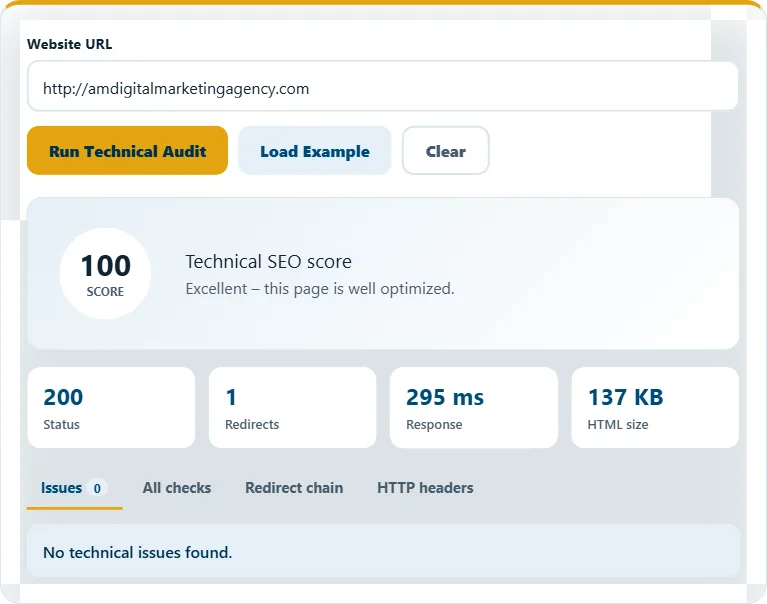
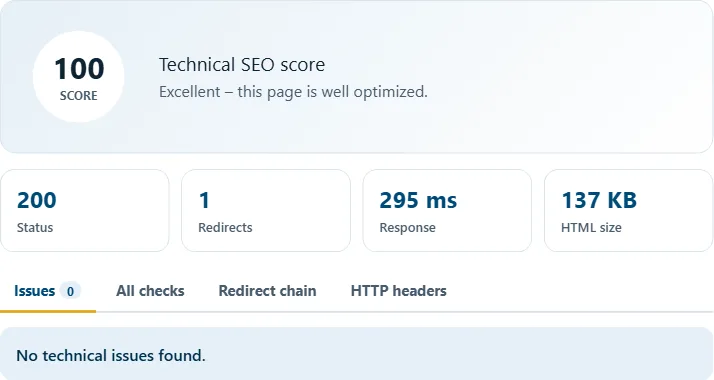
Review issues and headers
Fix items in the "Issues" tab and use the other tabs to share details with your developer.
Frequently asked questions
What is technical SEO?
Technical SEO makes sure search engines can crawl, render and index your website quickly and correctly.
Why do redirect chains matter?
Each redirect adds delay and can lose link value. Link directly to the final URL whenever possible.
What is X-Robots-Tag?
An HTTP header that can tell Google not to index a page. If it says noindex, the page will not appear in search.
Related free tools
Need expert help with SEO?
Our team can audit and fix your website for you – SEO, AEO, GEO and more.