
Free SEO Title & Meta Description Checker
Check title and meta description length in characters and pixels, see a live Google preview and get tips to increase clicks.
Features of the SEO Title & Meta Description Checker
Why this free tool is faster and more helpful than most tools you find on Google.
Google cuts titles by pixel width, not just characters. We measure both.
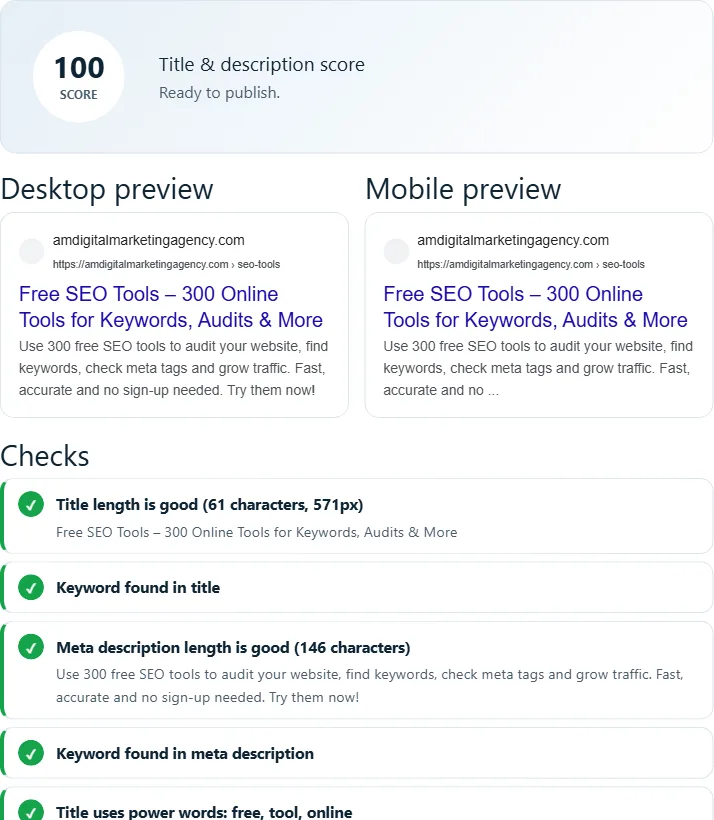
See exactly how your result will look in Google.
Checks power words, numbers and calls to action.
Load the current title and description of any live page.
Confirms your keyword is in the title and description.
Character and pixel counters update while you type.
How to use the SEO Title & Meta Description Checker
Three simple steps. Click Load Example above to see it in action first.
Type or fetch your tags
Write a title and description, or paste a URL and click "Fetch tags".
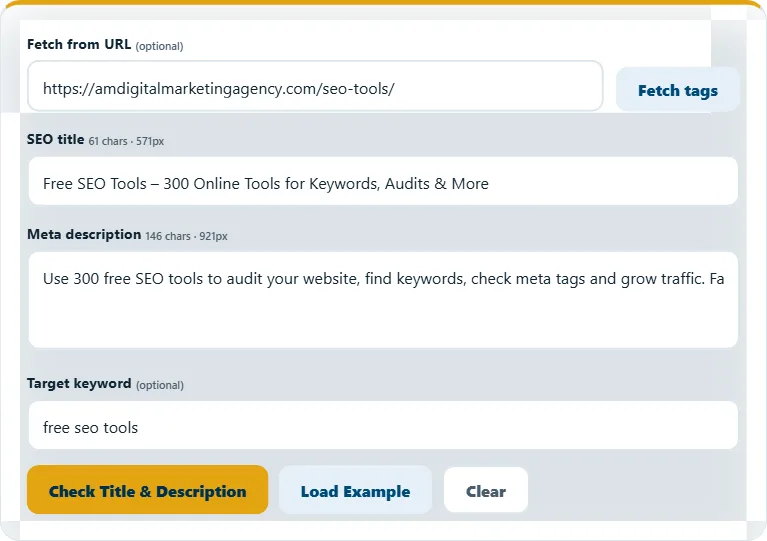
Click "Check Title & Description"
See your score, Google previews and every check.
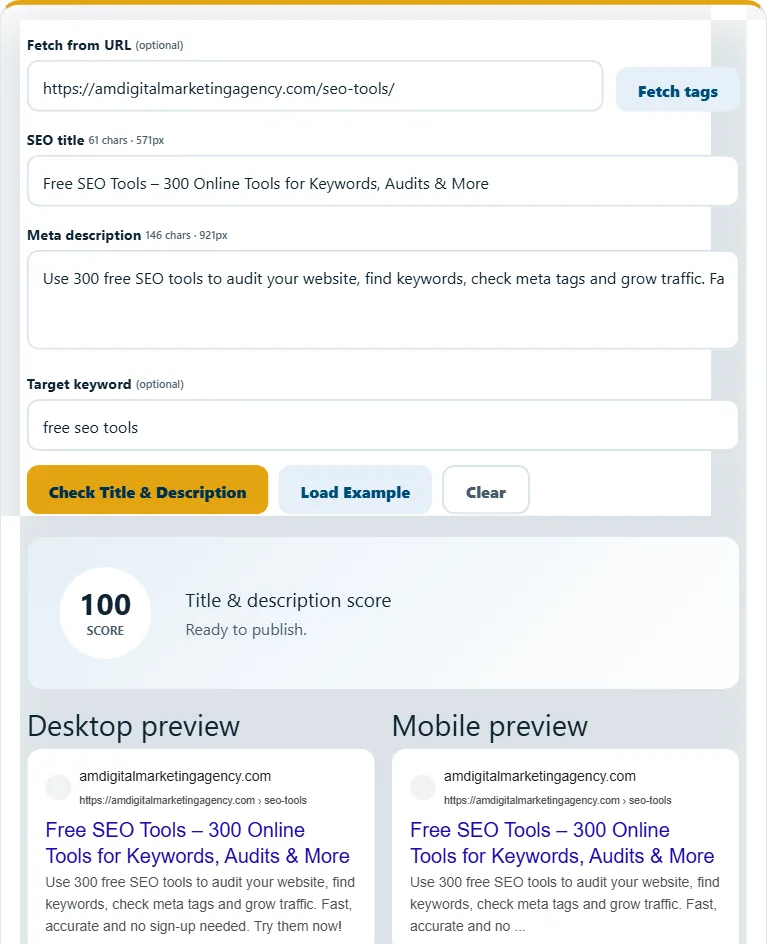
Edit until it is green
Shorten or improve the text using the tips, then check again.
Frequently asked questions
How long should a title tag be?
About 50–60 characters or under ~580 pixels so it is not cut off.
How long should a meta description be?
About 120–158 characters on desktop. Mobile shows a little less.
Does Google always use my meta description?
Not always. Google may rewrite it, but a good description is used most of the time and improves clicks.
Related free tools
Need expert help with SEO?
Our team can audit and fix your website for you – SEO, AEO, GEO and more.